How to Use Tunelark’s Music Learning Games in Your Private Lessons
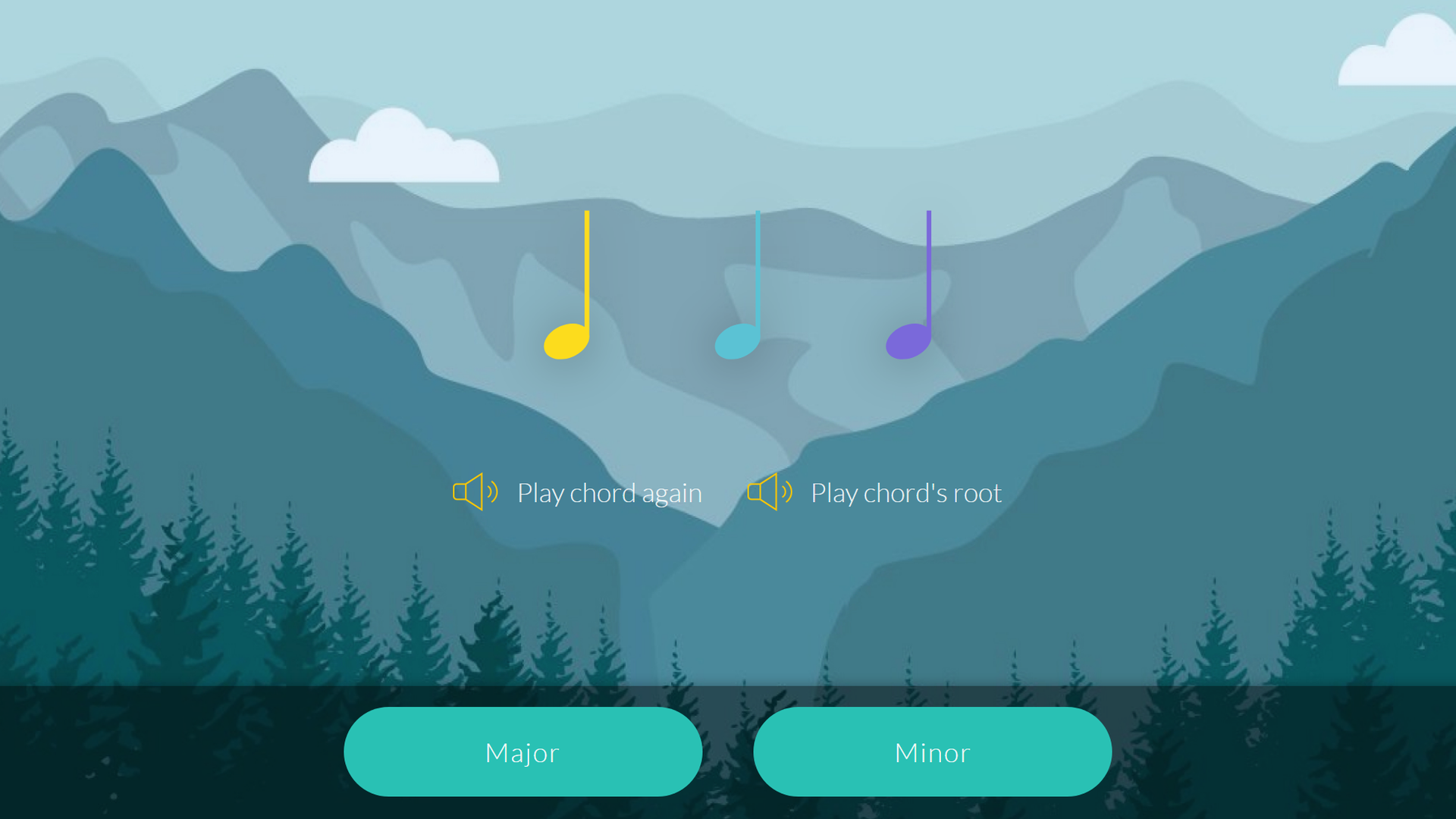
Every private teacher knows the gap. You end the lesson with clear assignments, the student nods, and then six days pass before you find out whether any fundamentals actually got practiced. Note reading, intervals, chord quality: the skills that make everything else easier are exactly the ones students skip at home, because drilling alone is boring and nobody is there to say “almost, try again.”
Tunelark’s music learning games exist to fill that gap, and if you teach with Tunelark, you and your students already have full access at no cost. More than 150 level-based games cover note reading in treble, bass, and alto clef, music theory, and ear training. Students play them on a laptop, tablet, or phone, with an on-screen keyboard, a MIDI keyboard, or their real instrument through the microphone. This is a working guide to putting them into your teaching week.
Why bother: the research case in one paragraph
The evidence for game-based drilling between lessons is stronger than most teachers expect, and we walk through it fully in our article on what the research says about music learning games. The highlights: a well-known study of advanced pianists found that next-day retention was predicted not by total practice time but by how students practiced, above all immediate error identification and correction, and a game corrects errors within the second. A study of procedural learning in musicians found that practice sessions spaced a day apart produced accuracy gains that massed practice did not, which is precisely the schedule a level-based game encourages. Most striking for anyone who has watched a student quit: longitudinal research following young learners found that students who stop lessons report a collapsed sense of competence before they go. A tool whose entire job is making students feel measurably more capable between lessons is aimed at the exact psychological need whose loss predicts dropout.
The games run on a piano keyboard. You teach saxophone. That is fine.
The question we hear most, from students and teachers alike: “I do not play piano, so why would I use piano games?” Because the games are not teaching piano. They are teaching theory and ear skills, and the piano keyboard is simply the clearest map anyone has invented for them. Every note sits in a visible line, half steps and whole steps are physical distances you can see, and a triad looks like the shape it is. That is why theory classrooms have keyboards in them no matter what instruments the students play.
The skills transfer, and translating them is the part you already do naturally. When your cellist learns intervals in the games, you show them what a fifth feels like across the strings. When your singer can name every note in treble clef, sight reading choral parts stops being decoding. And the ear training strands never involve the keyboard at all: the game plays a sound, the student names it, whatever instrument their hands know. Assign the games without hesitation to your guitarists, flutists, and vocalists. The keyboard is the diagram, not the destination.
Set up each student’s curriculum in a few clicks
Every student you teach has a classroom page, and its Edit curriculum tab is where you decide what the games offer them. Missions group the skills: music theory fundamentals, treble clef reading, bass clef reading, interval ear training, chord ear training, and more. Toggle whole missions on or off, or open one and enable individual skills.
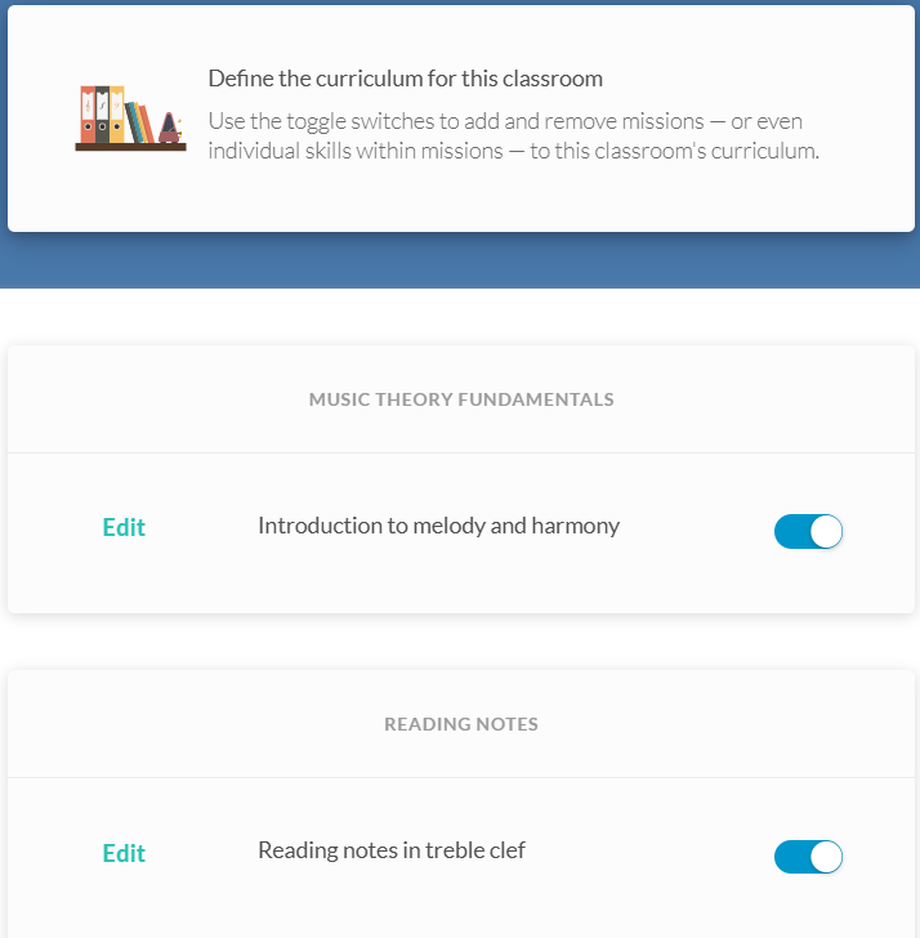
The point of the toggles is focus. A nine-year-old beginner pianist might see only treble clef reading and basic theory. An adult singer preparing for choir auditions might get bass clef and interval training. Students never wade through material you have not chosen for them, which keeps the games feeling like an extension of your teaching rather than a separate app.
Assign games the way you assign repertoire
The Assignments tab lets you attach a due date to something specific: complete the first three treble clef note reading levels, earn 20 XP playing your choice of games, or master a particular skill. Each assignment shows you at a glance how many students completed it, completed it late, or have not started.
Two assignment styles work well in practice. Skill assignments target the fundamental you are building this month. XP assignments (“earn 20 XP this week in any game”) hand the choice to the student, which is worth doing regularly: letting students steer their own practice is one of the most reliable ways to keep motivation intrinsic rather than dutiful. If you think of the games as structured practice rather than homework, the framing carries into how students treat them. They slot naturally into the curriculum you have already designed, and a weekly goal setting keeps a gentle floor under the whole thing.
Read the progress report before each lesson
The Progress report tab is the part most worth building a habit around. For each student you see total XP, game sessions played, skills mastered, and a per-skill table showing sessions played and levels completed.
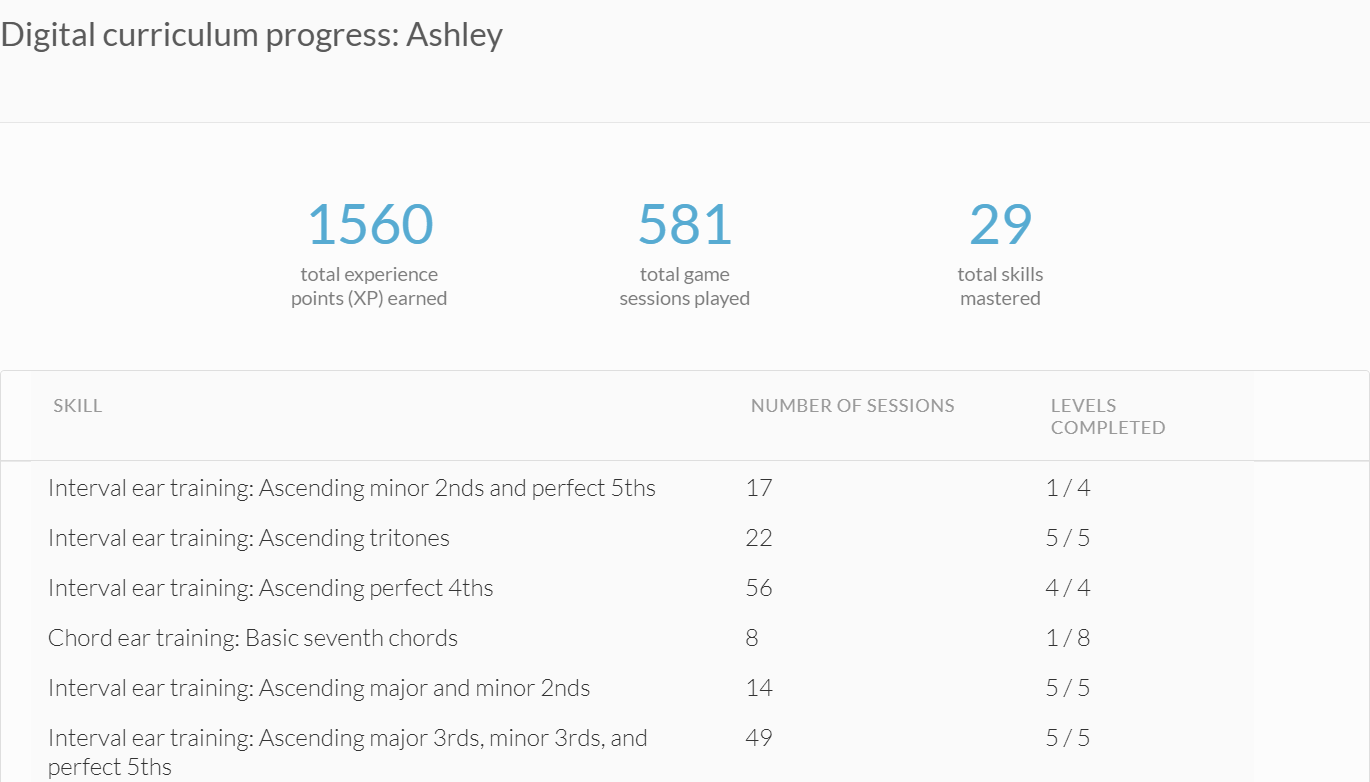
The table rewards a close read. A student who logged 56 sessions on ascending perfect 4ths and completed all four levels has earned harder material. A student with 17 sessions on one skill and one of four levels completed is telling you where the wall is, and that is your first five minutes of the next lesson planned for you. Silence is information too: no sessions all week usually means the assignment was pitched wrong or life got loud, and either way it is a conversation worth having warmly rather than a mystery. It also gives you something concrete for the engagement problem every online teacher works on: students stay engaged when someone visibly responds to their effort.
Keep lesson time for music
The quiet payoff arrives after a few weeks. When the games carry the drilling, you stop spending lesson minutes on flashcard work a student can do alone, and start spending them on the things only you can do: technique, expression, repertoire, and the conversation that keeps a student in love with their instrument. Students arrive already knowing where the notes live, and you get to teach music.
The games are also a genuinely pleasant thing to hand a student. Progress saves across sessions, levels climb as skills are mastered, and the whole experience runs on mountains, medals, and hearts rather than red ink. For students who need convincing, play one game together in the lesson first. Winning a level in front of your teacher is a small, real joy, and it reliably converts skeptics. If you have not explored the games yourself yet, the teacher demo opens the full dashboard without touching your real classrooms.
Make the games part of your next lesson week
A simple way to start, with one student you already suspect would benefit:
1. Open their classroom’s Edit curriculum tab and toggle on the two or three missions that match where they are.
2. Set a modest weekly goal and one concrete assignment with a due date before your next lesson.
3. Play one game with them during the lesson so the first experience is shared and fun.
4. Read their progress report before the following lesson and open with what you found.
Frequently Asked Questions
Do my students have to pay for the music learning games?
No. Every Tunelark private lesson student gets full access to all of the games as part of taking lessons, and every Tunelark teacher gets the classroom tools free as well. There is nothing to install and nothing to bill.
What equipment do students need to play?
A browser on a laptop, tablet, or phone is enough. The games work with an on-screen keyboard out of the box, and students can also connect a MIDI keyboard or use the microphone to answer with their real instrument or voice.
How much game time should I assign between weekly lessons?
Short and spaced works best. Two or three sessions of ten to fifteen minutes across the week beats one long sitting, both in the retention research and in practice. A modest weekly XP goal plus one specific skill assignment is a comfortable starting load for most students.
Can I control which games a student sees?
Yes. Each student’s curriculum is yours to shape. Toggle whole missions or individual skills on and off, and the student’s game library shows only what you have enabled, at the level they have earned.
What ages do the games suit?
The games are level based and start from absolute fundamentals, so they work for children, teens, and adults. Younger students tend to love the hearts and medals; adult students tend to appreciate the instant feedback and the visible mastery ladder. You choose the skills either way.
Keep reading
About Jennifer Heath
I'm Jennifer Heath, VP at Tunelark and a lifelong singer. I joined the company in 2020 and oversee much of what makes Tunelark work for our students and our teachers. That includes hiring, training, and supporting our instructors, customer and student support, marketing, and the day-to-day operations of the business.
I started voice lessons at age 7, sang with professional choirs that toured internationally through my teens, and performed solo at competitions and community events across Texas before stepping away in my twenties to study other interests, including business management. I haven't performed professionally in years, but I'll happily take the microphone at a karaoke night. Music has been in me every day of my life. Being able to spend the last six years working inside an online music education company, while traveling the world full-time, has been a perfect fit.
I believe deeply that music belongs in every life. For the self-expression, the discipline, the comfort, and the simple joy of it.
The Tunelark blog is where we share what we've learned about online music lessons: how to choose an instrument and a teacher, what to expect from your first lesson, how the major platforms compare, and how to keep music going through the busier seasons of life. Practical, honest writing you can act on.
Who we are
Tunelark provides virtual 1-on-1 music lessons to learners
of all ages.
We remove the barrier of geography and connect learners and teachers — wherever they are. Our growing community of vetted, experienced music educators have expertise in a wide variety of instruments, genres, and skill levels. We are passionate about connecting each student with the perfect instructor.